SLEEP THERAPY Video
How to Set Up the Medibyte Jr. Sleep Test at Home
Dr. Jonathan Ford
CDOCS Faculty

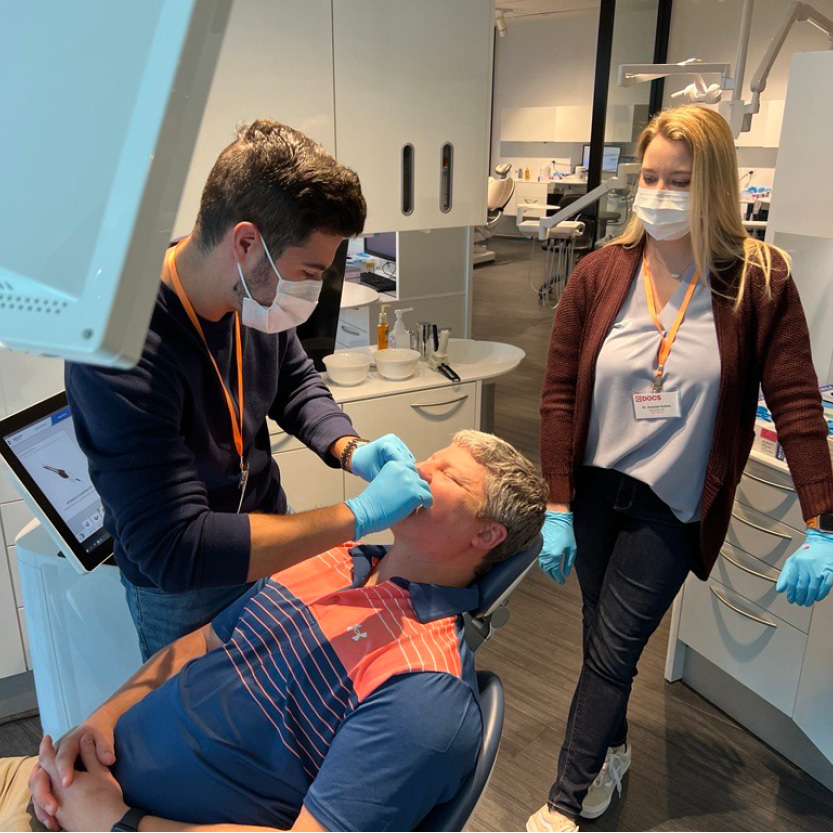
This step-by-step tutorial walks clinicians and their teams through the complete Medibyte Jr. setup, including pulse oximeter placement, effort belt connection, and nasal cannula positioning. Dr. Ford also shares a practical clinical insight: patients who cannot tolerate this simple sleep test are unlikely to ever successfully use a CPAP machine.
- Attach the pulse oximeter to the fingertip, near the nail bed with the wire on top, and secure it with tape around the wrist.
- Put on the effort belt and snap it snug around the chest or abdomen.
- Connect the belt’s wire leads to the Medibyte Jr. device.
- Route the nasal cannula around the back of the head, under the nose, and tape the tubing to both cheeks.
- Confirm all three components, pulse oximeter, belt, and cannula, are connected to the Medibyte Jr., then set the device to start recording about 30 minutes before bed.




Related CDOCS Hands-On Workshops
Implementing Cone Beam for Practical Utilization (CB110)
Get comfortable with cone beam technology through hands-on training in CBCT hardware operation, full volume review, and Sidexis and Sicat software suites, including introductions to CAD/CAM integration, airway analysis, and implant and endodontic applications to unlock your system’s full potential.

Integrating Dental Sleep Medicine for Patient Care & Practice Growth (CB150)
Expand your practice into dental sleep medicine with training in obstructive sleep apnea screening, home sleep testing, oral appliance selection and fabrication, complication management, medical billing, and strategies for building lasting relationships with referring physicians.